Tuesday, 5 May 2020

FMJ Tech

GCAM Go - Google Camera for any Android phone (Easy Install)

By  


GCAM Go - Google Camera for any Android phone (Easy Install)


If you are using a mid-range or a low-end Android smartphone or a device that does not have Camera2API enabled but you still want to use Google camera on your device, then follow these instructions. This page shows you how to install GCAM on any of your Android devices.


Google Camera Go is a lighter version of GCAM which Google released recently. This GCAM Go even runs on the lowest powered chip as well as the lowest memory devices.

Here the better part is, you don't need to perform any additional tasks to install it. What you need to do is, just install the apk and you are good to go. This is also super easy to use as well.


How to install GCAM Go ?


Step 1 :- Download GCAM Go apk from the link down below.

Download Link :- https://bit.ly/2WteprU

Step 2 :- Enable unknown sources if you haven't already.

Just find "Install from Unknown Sources" from your device settings.

Step 3 :- Install the Google Camera apk

Step 4 :- Take a Deep Breath, Smile, and open the GCAM Go app.


Done!! Now you have successfully installed the GCAM Go on your android device.


Here is how GCAM Go interface looks like,


As you know that this is the first Google camera go port, so you may find some issues in some devices. So, do note it. But it is still worth a shot.


Thank you for being here and for more, go to the home page,  www.fmjtech.com


Read More

Friday, 27 March 2020

FMJ Tech

15 Most Asked COVID-19 Questions ANSWERED | Corona Virus

By  


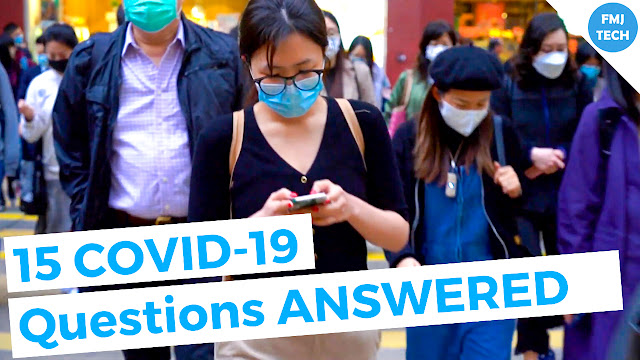
15 Most Asked COVID-19 Questions ANSWERED


Experts are still learning about the coronavirus (COVID-19). With new information coming out every day, it can feel overwhelming at times. Here are the answers to 15 most asked COVID-19 questions. I always suggest you guys go through the WHO official website for newly updated news. So, let's start with the questions.


15. What are the symptoms of Covid 19?

Symptoms vary from person-to-person. It may produce few or no symptoms.
Common symptoms include Fever, dry cough, and difficulty in breathing
It may take 2–14 days for a person to notice symptoms after infection.


14. How does it spread?  

It primarily spreads between people through respiratory droplets produced when an infected person coughs or sneezes.
You can also get coronavirus by touching infected surfaces, then touching your mouth, eyes or nose.


13.  How long does coronavirus stay “alive” on surfaces?

Up to three days, depending on the surface.
The new coronavirus can survive up to 72 hours after being placed on stainless steel and plastic.
It can survive up to four hours after being placed on copper, and up to 24 hours after being put on cardboard.
In aerosols, it survives for three hours.


12.  Why is the disease called COVID-19?

In COVID-19, ‘CO’ stands for ‘corona,’ ‘VI’ for ‘virus,’ and ‘D’ for the disease. Formerly, this disease was referred to as “2019 novel coronavirus”
 On Feb.11, the World Health Organization announced this official name Covid 19


11. Is there a cure? Why is it taking so long?

There’s currently no cure for the novel coronavirus. And while research is underway, it could be more than a year before a vaccine becomes available.


10. Why the Health department isn’t testing many people for the coronavirus?

The tests, labs, and equipment necessary to run tests for COVID-19 are limited. Production is ramping up, though


9. Can we kill it by inhaling boiling water steam? Like in India they use this during flu and cold or cough.

The WHO says this will not work to kill a virus that’s already entered your body.


8. How do you know someone is recovering from coronavirus?

If a patient is recovered from coronavirus, the patient has to be free and clear of any symptoms. Then, the patient has to have a negative test result for the virus and then be tested again in 24 hours. After the patient tests negative both times, they are considered recovered.


7. Is coronavirus especially harmful to pregnant women?

Long story short: There’s not enough data yet, considering this coronavirus just emerged in humans a few months ago.


6. Does donated blood get infected by the coronavirus?

“Individuals are not at risk of COVID-19 through the blood donation process or via a blood transfusion since respiratory viruses are generally not known to be transmitted by donation or transfusion,” said the American Association of Blood Banks.


5. What if I do have some of the symptoms? Like a cough and sore throat? No fever. No runny nose. Do I have to go to a doctor or call the health department?

No, do not go to the doctor. You are considered low risk. Low to moderate risk patients are not being tested for Covid-19 at this time. Self-quarantine is recommended until tests become available, but contact your local primary care provider for guidance.


4. Can I get coronavirus from my pet, or vice versa?

“No. There is no evidence that companion animals or pets such as cats and dogs have been infected or could spread the virus that causes Covid-19,” According to the World Health Organization


3. Is it true that COVID-19 does not like warm/ hot weather? 

Officials at the WHO said on March 5 that there is no reason to believe temperature will play a role in the Covid-19 outbreak.


2. Can I have the flu and coronavirus at the same time? If I test positive for the flu, does that mean I don’t have coronavirus?

There’s no reason why you can’t have both the flu and coronavirus. So a positive test for the flu doesn’t mean you can’t have coronavirus as well.


1. Can bugs and or insects carry the virus?

COVID-19 is new and there are a lot of unknowns. However, the health department said they do not believe insects will carry this virus. They make this prediction based on how other viruses in the Coronavirus family act.

Read More

Tuesday, 28 January 2020

FMJ Tech

Top 5 UNUSUAL Apps that are REALLY AMAZING!!

By  

Top 5 UNUSUAL Apps that are REALLY AMAZING!!


We have seen many android apps through our channel but this app list is not like our usual apps. These are some really UNUSUAL type android applications that might amaze you. So, let's start with the list.


1. Shake-it Alarm

Shake-it is a kind of new smart alarm application that will let you wake up in the morning in a very different creative way. This time you can choose to shake your phone vigorously for 20 seconds to stop the alarm, scream off, touch off the screen hardly or simply choose a random one and let this app choose the best way to wake you up in the morning.


App Link :- http://bit.ly/38PsXql

2. LokLok

LokLok is an android application that replaces your Android lock screen with a shared whiteboard that is always in sync between you and whoever you are connected to. All you have to do is just create a group with one or more people, and whenever someone changes their lock screen it will be automatically updated on everyone else’s.

App Link :- http://bit.ly/2U6toZ5

3. Hold On

Hold on is an app from which you can test your patience. In this app, there is a button. The longer you press that button, the more points that you can earn. This app is kind of like a useless one but with it, you can test your patience.

App Link :- http://bit.ly/3aL6Ra5

4. Fraksl

Fraksl is an interactive type app from which you can navigate through fraksl space using touch gestures. You can choose from a variety of filters and mirrors for unique effects. This is a very satisfying type of art on your phone. You can share your fraksls with friends by recording through in-app recording features. the exported video will be high resolution and uncompressed.


App Link :- http://bit.ly/2O3pRXy

5. Nothing

Nothing app lets you do nothing like its name promises. This app has a white interface with a text in the middle "NOTHING". There is no use for this app but at those times when you have to do nothing, try it app.

App Link :- http://bit.ly/2RUHVVd


So, these are the top UNUSUAL android applications on this list. If you like this, do subscribe to our channel and stay updated. Have a nice day!!


Read More

Sunday, 19 January 2020

FMJ Tech

Top 5 SECRET Android Apps For 2020 | Free Apps 2020

By  

Top 5 SECRET Android Apps For 2020 | Free Apps 2020


The top 5 Android app series is back. Welcome to really unique, really clever android apps for 2020. These android apps will surely make your android experience to the next level. So, let's start with the list.


1. Shake Light - Bright Torch

Shake light app allows you to turn ON your phone's torchlight when you shake your phone. By default, this feature is available on many devices. But for others, this app will gonna help.

It detects when your phone is in the pocket so you don't need to bother that the flashlight turns on automatically inside your pocket.

App Link :- http://bit.ly/2v0NkSB


2. Nocrop Photo Editor.

Nocrop Photo Editor android app is a one-tap photo editing app, in which you can add fantastic effects like the sketch effect and the neon spiral effect. This app uses AI to scan your image for a one-tap edit. 

With a single tap, you can add neon spiral effects, sketch effects, Instagram post effects, etc. You can edit your photos, make collages and add neon filters, sketch effects, pic grids, backgrounds, stickers, dog ears, fonts and so on.


App Link :- http://bit.ly/2G8mk5W


3. Lock Me Out

Lock Me Out is an android application for those who are addicted to the smartphone. This is a simple and powerful application that will lock you out of your phone when you would rather be doing something else.

This app locks your phone for a certain preset amount of time. During this time, you can use your phone. This will make you do other works rather than staying on the phone.

App Link :- http://bit.ly/378V1V2


4. Microsoft Math Solver

Microsoft Math solver android app helps you with a variety of mathematical problems including arithmetic, algebra, trigonometry, calculus, statistics, and other topics. This app uses advanced AI-powered math solving techniques. What you have to do is simply write a math problem on screen or use the camera to snap a math photo. 

Microsoft Math solver app now instantly recognizes the problem and helps you to solve it with a step-by-step explanation, This app is really helpful for students while doing homework.


App Link :- http://bit.ly/3arFy4A


5. Mubert

Mubert is a music streaming app service that lets you hear continuous music for different types of situations. The Mubert mobile app uses patented artificial intelligence technology and its user-contributed sample database to generate experimental electronic music, tailored perfectly to each listener. 

With this app, you can choose a genre you want or pick your activity and enjoy endless music with one click. 

App Link ;- http://bit.ly/30MHAbf


So, these are the top handpicks apps for this episode. More episodes are coming soon. So, stay subscribed.

 SUBSCRIBE!!


Read More

Wednesday, 1 January 2020

FMJ Tech

Don't MISS These COOL WALLPAPERS For Your Android 2020 - Top 5 Wallpaper Apps For 2020

By  

Top Wallpaper Apps For 2020


Wallpapers are the main attraction of our device home screen. How beautiful they are, it will attract all the eyes into it. So, here are the Top Wallpaper Apps for 2020. You will surely find your needed wallpaper apps from this list for sure. All the wallpapers apps are free to use.


1. Walldrobe

Walldrobe is an amazing wallpaper application that has the largest open collection of high-quality free wallpapers. This app has a beautiful and simple interface to scroll on. The coolest thing about Walldrobe is, it shows you the information of people who took that image and even the camera settings that they have used to click that image.

This app is one of my favorite ones because it also has the wallpaper that I am searching for. All the wallpapers are perfectly arranged in different categories. Definitely check this out!!

App Link :- http://bit.ly/2QzSr3r


2. Crisper

Most of the wallpaper applications are limited to what the creator has made, but Crisper apps give you the ability to customize all its wallpapers. Crisper app gives you 2D customizable illustrations as well as customizable free wallpapers.

This Crisper app also provides you with very useful editing tools to edit images and or illustrations with inbuilt editors. You can control the brightness, contrast, crop, blur and much more.

App Link :- http://bit.ly/2Qfrp2i


3. Particle Constellations

If you are into the world of live wallpapers, Particle Constellations application is the one for you. It is a live wallpaper that shows randomly flying particles that form constellations in space. This application really makes your home screen superb.

With particle Constellation app settings interface, you can tweak colors, size, speed, density, frame rate and even add a background image. This app uses only a native theme and does not contain any unnecessary resources that drain your battery.


App Link :- http://bit.ly/2tir5Xy


4. Betta Fish

Betta Fish is a live wallpaper app that has swimming beautiful fish. If you like aquarium fishes or beautiful colors this is a wallpaper that matches perfectly on your home screen. Betta fishes have many types of shapes, colors, details.

This live wallpaper responds with touch. If you drag the fish or its food to any side on the screen, the fish will follow it.

App Link :- http://bit.ly/2SI9MK9


5. 3D Parallax Live Wallpaper 2.0

You have seen this 3D parallax wallpapers before. It was a huge hit. This app is the second version of it. This 3D Parallex Wallpaper 2.0 gives your home screen and lock screen a real 3D depth with gyroscope controlled parallax backgrounds.

This application doesn't drain your battery much because it uses only very fewer system resources like the gyroscope on your phone. So, if you want a 3D look on your home screen, try this app.


App Link :- http://bit.ly/39xft3q


So guys, these are the top 5 wallpaper apps for 2020. I hope you have found your perfect needed app from this list. Thank you for being here!! ;)
Read More

Friday, 27 December 2019

FMJ Tech

Top 5 Best Android Apps For 2020

By  

Top 5 Best Andriod Apps For 2020


Welcome to the episode where I show you some of the best top android apps for 2020. This list has 5 amazing lists of applications for you to download this new year.


1. Repeat Button for YouTube

As the name suggests, the repeat button for youtube is an android application that lets you loop any youtube videos on youtube official application. By using this application, you will never have to rewind it manually again.

The floating repeat button also does some more functions other than simply looping a youtube video. It also offers the ability to jump to the beginning of the currently playing video at one tap of a button, rewind to the start of the current video whenever you want. Also, you can fold away this repeat floating widget into the left margin when you don't need it.


App Link :- http://bit.ly/2Z3kHPy


2. BlockSite

BlockSite is an Andriod application that helps in self-control to regain time control. It helps you to control your browsing content by blocking apps and sites when you need to keep focused.

This app is very useful to block harmful websites and apps from your device and be in a secure life.

App Link :- http://bit.ly/2r61Ua1


3. Boring Launcher

Boring launcher is an android launcher that helps you focus on your work instead of simply wasting time with your smartphone. This launcher creates a simple and minimalistic interface on your home screen.

Using this Boring Launcher will save time and reduce phone usage and screen time by letting you use 4 or 8 installed apps only in your phone There is a "To-do list" in the main screen of this launcher that lets you note down and do your works correctly.


App Link :- http://bit.ly/2trq53m


4.  Reachability Cursor

Reachability Cursor uses a computer-mouse-like cursor/pointer to control big smartphones displays effortlessly with one hand. The perfect app for power users that make extensive use of swipe gestures for navigation and glide typing keyboards.

The working of this app is very simple. Swipe over a screen edge to start Reachability Cursor. If you hold your phone with your right hand, use the right screen edge. Drag the tracker to move the cursor and tap it to click. The cursor will disappear automatically when you don't need it after that.

App Link :- http://bit.ly/2S36zEy


5. 1Gallery

1Gallery is a gallery application, ideally the best alternative gallery app designed for managing your photos. Apart from being a simple gallery app, you can secure your photos, videos via hidden and encryption features.

You can easily organize your photos with this 1Gallery application. Also, you can move files from different folders easily.

App Link :- http://bit.ly/2r4hkeM


These are the top best androids apps for now. I will create more episodes of this series for you. So, stay subscribed with "FMJ Tech" youtube Channel.
Read More

Thursday, 26 December 2019

FMJ Tech

Top 5 Professional DSLR Camera Apps for Android! | ft. Gadget Kada

By  

Top 4 Professional DSLR Camera Apps for Android!


Welcome to the series where I show you some of the Best Top Professional DSLR type camera apps for your android phone. This list has 4 unique camera apps that allow you to completely control each and every setting of your smartphone camera. These apps do need Camera2 API support on your phone for its working. So, let's get straight into the camera apps list.


1. HedgeCam 2

HedgeCam 2 is based on the Open Camera source code but it does have some more features compared to Open Camera application. HedgeCam 2 brings a new smartphone camera control experience where you can control each and every camera operation with its inbuild tools.

HedgeCam 2 even allows you to shoot in log. We know shooting in log gives more control over each pixel of the video which in turn makes it easier to color grade the footage in the post-production.


App Link :- http://bit.ly/2t81zE9


2. A Better Camera

Now you can forget about having dozens of camera apps on your smartphone. A Better Camera android application does everything you need. This app has an easy interface even a person who doesn't know much about photography can easily understand it.

This app has many features like you can control the ISO, shutter speed, exposure bracketing, you can take night mode photos, etc. If you are starting into photography, this one is for you.

App Link :- http://bit.ly/34Voq3i


3. ProCam X : HD Camera Pro

ProCam X is a camera app that will turn your phone like a professional camera with full control over all settings like exposure, focus, white balance, ISO, etc. This app will convert your mobile photography to the next level.

With this app, you can take better photos and record even in high resolution. All these features are packaged in a small compact size and clean interface in this app.


App Link :- http://bit.ly/2Mxhvqq


4. HD Camera

HD Camera is very easy to handle android camera app. This app has many beauty effects and amazing filters you can choose with. This application has an intelligent face detection for realtime camera filter.

For PRO-level usage, there are many features like focus modes, different scene modes, color effects, white balance control, ISO control, and exposure compensation/lock.

App Link :- http://bit.ly/373aiq6


5. Footej Camera

Footej camera app is a brand new app with a clean looking interface. This app gives you the ability to choose focus and exposure from different areas. This feature really helps to take perfect photos.

You can also control the ISO, shutter speed like the previous apps. The great benifit by using this app is, you can shoot in RAW format which gives you full flexibility during editing.

App Link :- http://bit.ly/2SAIo0O


So, these are the top 4 professional DSLR camera apps for your android. If you like to watch more of these contents, simply stay subscribed to our youtube channel. Thanks for being here. 
Read More

Friday, 29 November 2019

FMJ Tech

Top 10 INSANE Apps for Android - Free Apps 2019 (December) 😀

By  

Top 10 INSANE Apps for Android


Welcome to the series where I show you some of the 10 best surprising Andriod apps you really gonna like for sure. These apps will really make your android experience to the next level. You can watch this "Top 10 INSANE Apps for Android" video from below. Install these apps and enjoy!!


1. SplitCloud

SplitCloud is a streaming music player android app that lets you share your headphones and listen to two different songs at once. If you ever had to share headphones with a friend or partner, this app is for you.

You can use this app to play different songs on each earpiece of your earphone. So, your friend and you can enjoy different music at the same time with only one earphone. Really cool android application to try.

Download link :- http://bit.ly/SplitCloud


2. Zoomquilt

Zoomquilt is a live wallpaper app that creates a hypnotizing infinitely zooming illusion art on your smartphone screen. This really makes a wonderful effect on your screen, you have to see it by yourself and believe it. It seems impossible, but the artwork keeps on zooming endlessly, revealing worlds within worlds.

You can adjust the speed of zooming by using the controls inside this app.

Download Link :- http://bit.ly/Zoomquilt

3. Desert Island

Desert Island is an application based on google digital wellbeing experiments. This app allows you to select any of the apps you installed that are important to you and they will be the only apps on your home screen.

Desert Island app will surely let you reduce your smartphone usage to some extent and find a better balance with technology.

Download Link :- http://bit.ly/DesertIsland_App

4. Edlock

Edlock is an android application which is basically a combination of a learning platform and an app locker. You can lock any of the apps on your phone using Edlock. Once you try to open it, Edlock will ask some small quiz to unlock it. You can select the topics you like to see in these quizzes.

Lock your most addictive apps using Edlock. Once locked, an app will only open when a short learning challenge is completed. Make learning easy especially if you have kids at home.

Download Link :- http://bit.ly/Edlock

5. Dark Mode

If you don't have a dark mode on your system settings, the Dark Mode app is for you. This app lets you activate the android dark mode. You can darken most of the google apps, Instagram and so on.

With dark mode, you can reduce the battery consumption if you are having an AMOLED screen also you can reduce the strain in your eyes.

Download Link :- http://bit.ly/DarkMode_App

6. We Flip

We Flip is an android app based on Google's digital wellbeing experiments. We Flip enables you to switch off from technology as a group, to spend some quality time together with your friends or family.

Simply wait for everyone to join on We Flip app, then flip the switch together to begin your session. If someone in the group unlocks, the session will end and you'll be able to see how you did.

Download Link :- http://bit.ly/WeFlip_App


7. Cameraless

Cameraless app is a camera blocker used to disable all cameras in your mobile device, offering full protection against spies, stalkers, and various malware, taking pictures/videos from your phone in secure areas.

Cameraless is a useful app for those who work in secure environments and want to get rid of hackers. You can protect your Cameraless app settings with a password so that the app will always function and your device will constantly be protected while you are doing work.

Download Link :- http://bit.ly/Cameraless_App

8. Firefox Screenshot Go

Firefox Screenshot Go android app not only helps to organize your screenshots but also it enables you to search for a particular word written on a screenshot.

You can also copy on any screenshots easily with the Firefox Screenshot application. Definitely a helpful app for students.

Download Link :- http://bit.ly/FirefoxScreenshotGo

9. Rotation Lock Bubble

Rotation Lock Bubble is an android app that allows you to take back control of the orientation of your phone's screen. Whenever you change the orientation of your phone, a bubble will discreetly appear on the screen to suggest that you can change the orientation of your screen with a simple touch.

The bubble has many aesthetic and practical customization possibilities to change according to your likings. Small thing but very useful.

Download Link :- http://bit.ly/RLbubble

10. Ruff

Ruff is basically a notepad app that aims to make writing on the go, fun and sharing it fast & easy with others. It's a single sheet of text with your progress automatically saved and restored between sessions. The best thing about this app is its material design.

You can also see the number of words, characters and the time taken for a note to write. The font is really beautiful and you can adjust its size accordingly.

Download Link :- http://bit.ly/Ruff_App


These are the top picks android apps for this month. Thank you for taking the time to visit this website and my youtube channel.
Read More

Wednesday, 20 November 2019

FMJ Tech

Redmi Note 8 GCAM 🔥 | Gcam vs Stock + Installation | FMJ Tech

By  

Redmi Note 8 GCAM | Gcam vs Stock + Installation


Redmi Note 8, one of the best budget device right now in the market. The camera of Redmi Note 8 has a 48MP sensor. While taking photos with its stock camera app, I was not totally satisfied. So, I have downloaded its best stable Gcam and took as much as photos in different lighting conditions. The results were WOW. So, I thought to show you guys the incredible difference that I have been noticed with the photos that I took with the stock camera and the phone at the same angle with its GCAM.


You can watch the detailed of how to install GCAM on Redmi note 8 and the comparison video of the Redmi Note 8 stock camera with its Google camera.


1. How to install Gcam on Redmi Note 8.

Step 1 :- Download the apk from the link down below.

Download Link :- http://bit.ly/RN8_Gcam

Step 2 :- Install the app.

Step 3 :- Hurry, done!!


2. Comparison between Redmi Note 8 Stock cam v/s Gcam.


Read More

Friday, 15 November 2019

FMJ Tech

Redmi Note 8 PRO Google Camera + Gcam vs Stock

By  

GCAM for Redmi Note 8 Pro


The biggest concern about Redmi Note 8 Pro was that it will not support Google Camera because of its Mediatek processor. But thankfully, some brilliant developers have now made a working GCAM for Redmi Note 8 Pro. You can watch the below video explaining how to install GCAM on your Redmi Note 8 Pro perfectly and it also showcases the comparison between the camera output of the stock camera app and google camera.


Step 1 :- Download the apk file and an xml configuration file from the below link,


Google Camera apk :- http://bit.ly/Gcam_apk
xml file :- http://bit.ly/xml_file

Step 2 :- Install Gcam apk on your Redmi Note 8 Pro.

Step 3 :- Go to More - Settings - Save settings - (and enter any name as configs name)

Step 4 :- Open "File Manager" and copy the above xml configuration file that has been downloaded.

Step 5 :- Go to Gcam folder - Configs - (paste that xml configuration file inside configs)

Step 6 :- Open Google camera app


Step 8 :- Select the name of the downloaded xml configuration file from the pop-up menu

Step 9 :- Click "Restore"


Done!! Now the Gcam is successfully installed on your Redmi Note 8 Pro.


This photo was taken with the stock camera,


This photo was taken with Gcam,


Read More

Sunday, 10 November 2019

FMJ Tech

Top 10 Best Apps for Android - Free Apps 2019 (November)

By  


Today we 10 impressive Android applications which gave me a moment of "WOW". This post will help you to take your Android experience to the next level. These 10 android applications are new to play store and I have tested them well to make sure those apps are working fine. So, let's get right into the content.


1. Bubblee

The first app on our list is Bubblee. Bubblee is a nice-looking and beautiful battery charging animation app to impress your friends. Bubblee will display a large number of beautiful small bubbles moving on your screen while charging. You can also set this animation running while not charging as well.

There are many kinds of objects available on this app to show while charging. You can personalize the bubbles charging animation by modifying colors of bubbles, the size of the bubbles, etc. The very useful thing about this app is you can set battery alarm alerts for a full battery or low battery notification.


2. Mbit

The second app in our list is Mbit. This app is a kind of video status maker app that provides a variety of songs and videos with beat wise particle, spectrum, visualizer, equalizer, Dj flash & wave music. you can make unique impressive video status for birthday wishes, festivals and greetings with beat wise particle effects with any of your favorite song clips.

The special thing that really amazes me about this app is the way of customization features. You can customize everything that shows in your video. 


3. PixelFlow

If you are a Youtuber or a video maker, PixelFlow app will really be going to help you. In PixelFlow android application, there are so many unique custom text animations and backgrounds created beautifully and professionally. You can customize any of these animations with your desired text as per your needs.

With PixelFlow android app, you can produce very complicated animations of text effect as well as an animated background with the templates available on this app. PixelFlow app follows flat design 2D animation and motion graphics principles to animate your needed text effects.


4. Unlock Clock

Next on our list is the Unlock Clock app. This app is a part of Google Digital Wellbeing Experiments, a platform to share ideas and tools that help people find a better balance with technology. Unlock Clock android app is basically a live wallpaper app that shows you how many times you have unlocked your phone in a single day.

Unlock Clock helps you track your smartphone usage, by counting and displaying the number of times you unlock your phone in a day through its live wallpaper interface.


5. Walkie-talkie communication

Walkie-talkie communication android app is a completely free walkie-talkie app that allows you to communicate quickly and easily with your friends through your smartphone. The working of this application is quite simple. simply go to the same radio frequency that can be manually set on this app on all the smartphone, push to talk and that's it. 

The same frequency allows the application to identify to which all devices the voice has to be transmitted. So simple to use and very much effective for fun purposes with your friends.


6. Watermark Manager

Watermark Manager is an incredible android app that can be used to remove or add watermark to images and videos. With this app, you can add watermark to images or videos using any text or images with different options including animating the movement of the watermark. 

Watermark Manager can also suppress a watermark by selecting its area( and the app can remove it by interpolation its surrounding pixels. This technique works almost perfectly on alpha-blend watermarks. Also, you can crop the region outside of the watermark area, this works perfectly for media that has a logo at edges of it. The simple interface makes it very easy to navigate.


7. Wall X

Wall X is a wallpaper application that contains a plethora of beautiful 4k & HD wallpapers. The main thing about this app is, it provides adaptive wallpapers based on the resolution and the type of display of the phone that you are using.

The collection of wallpapers that Wall X contains is huge. This app also allows you to conserve battery power and internet traffic, and use the app at maximum speed without losing image quality. The app works on a dynamic loading algorithm which saves the data if few wallpapers are already present in the downloads section.


8. Notch Design

I believe notch is a bridge from a big bezel phone towards a full-screen display. Now most of us are using a smartphone that has a notch. Notch Design android app can change how your smartphone's notch looks like. Now you can completely redesign your notch and this is best for those who love to customize their phones.

The concept is simple, notch design app use system overlay to show notch design around your phone's physical notch. There are plenty of notch designs available on this application.


9. Screen Translate

Screen Translate is an application that uses the text displayed on your screen and translates it to any preferred language.  The interface of this android app is so easy to use and the translated words are almost perfect. This app also support more than 100 languages.


10. Logo Maker

Logos are the face of a brand. So, those logos should be more beautiful and has to look professional. Logo Maker android application is a free tool to create many amazing logos right from your android phone itself. There are many ready made 5000+ original logo templates to choose from.

There are a lot of options on this Logo Designer app to show your creativity with a huge collection of graphic designing elements such as typography, different kinds of shapes, abstract type logo images and symbols that are available on this application.


That's been it. These ate my top 10 best android free apps for this month. I hope you like this content. If yes, visit my Youtube Channel from here :- https://www.youtube.com/fmjtech


Thanks for being here. Have a wonderful day. 😉👍

Read More

Sunday, 6 October 2019

FMJ Tech

Top 5 new trending Apps that SHOCKED me!!

By  


Top 5 new trending Apps that SHOCKED me!!


Every app that I am going to show you, each gave me this moment of WOW. That's cool and I really want to tell you guys about this. Welcome to the series of top android applications you should try now itself.

1. Firefox Send.

Firefox Send App lets you share any files with highly secured end-to-end encryption and a link that automatically expires according to the number of downloads limit or time limit depending on the setting you have set. By using this app you can keep what you share private and make sure your stuff doesn’t stay online forever. 

You can even send large files up to 2.5GB using this cool application. 


2. Scribbl.

Scribbl lets you to draw shapes on your videos and by using the inbuilt tools, you can easily add scribble animations to your videos. This app helps you to forget the complexity involved in creating a scribble animation video in Adobe After Effects or some other animation software.

Scribbl makes video animations simpler, faster and fun with easy to use features along with a simplified timeline and with a variety of brush and path effects.

Download Link :- http://bit.ly/Scribbl_App

3, Battery Notch.

Battery notch allows you to create a border around your phone's notch and show you the battery status with a cool animation while charging.

You can customize each feature of this indicator like the shape, color, height, width, etc.


4. Bottom Quick Settings.

We all face difficulties while finding notifications and quick settings hard to reach with one hand at the top of your screen. This app helps you to avoid stretching your hand up to the top of your screen to reach the notification bar.

Bottom Quick Settings gives you a smoother, faster and native feeling Android styled quick setting and notification panel at the bottom of your screen. This allows you to toggle settings like WiFi, Mobile Data, Bluetooth, Flash and many more, as well as adding shortcuts to apps and websites in the panel too.


5. Abstruct.

Abstruct is a 4K Wallpaper app that lets you find many amazing wallpapers and makes them your home/lock screen. This wallpaper app is made by the award-winning OnePlus wallpaper artist Hampus Olsson. By using this app you will get over 300 exclusive wallpapers which are only available through the app. 

Through Abstruct app, you will get all the official OnePlus wallpapers made by Hampus Olsson from OnePlus 2 to the latest OnePlus 7 all in one place, as soon as it gets announced. This app gives you a sweet elegant design with many useful features like saving your favorite wallpapers in one place to make it easy to change between any time you feel.

Download Link :- http://bit.ly/Abstruct_App


Thank you for giving us your valuable time.


Read More

Wednesday, 24 July 2019

FMJ Tech

You Don't Need an Apple Watch Anymore ⌚ | Fuma Fit Pro Q9 Smart Bracelet

By  


Fuma Fit Pro Q9 Smart Bracelet


Yeah!! It looks stylish. Welcome to a brand new review video of Fuma Fit Pro Q9 Smart Bracelet from Blindlyshop. Yes, you don't need an Apple watch anymore.

Meet Fuma fit pro Q9- Flagship pro series smart/fitness band. A smart/fitness bracelet with a premium look and design, perfect form factor, outstanding battery life, and Ultimate specs. If you are looking for the perfect yet affordable fitness bracelet, then go for this Fuma Fit Pro Q9. Stay Active stay healthy always.


FUNCTIONS


  • Blood Pressure
  • Passometer
  • Sleep Tracker
  • Calendar
  • Countdown
  • Push Message
  • Blood Oxygen
  • Heart Rate Tracker
  • Alarm Clock
  • Chronograph
  • Remote Control
  • Speed Measurement
  • Activity Tracker
  • Fitness Tracker
  • Social Media Notifications
  • Message Reminder
  • Call Reminder


PRODUCT FEATURES


Band Material: Silica

Case Material: Alloy

Waterproof Grade: IP67

Screen Type: Color LCD

Band Detachable: Yes

Touch Screen: Yes

Style: Fashion

Compatibility: All Compatible

Screen Style: Rectangle/Square-shape

CPU: nordic52832

Screen Size: 1.3 inch TFT high-definition

Battery: 180Mah large capacity polymer batteries


Product Link :- http://bit.ly/FumaFitProQ9

App Link  :- http://bit.ly/WearHealth_App

Video Link :- https://youtu.be/sqMqukgBLZs


Read More